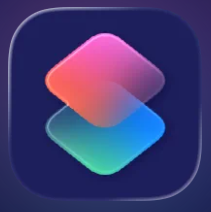
 The power of Apple’s Shortcuts app isn’t just automation, it’s personalization. You can turn routine actions into clever, time‑saving tools that make your iPhone feel faster, smarter, and more fun to use. Here are some Shortcuts you can create:
- A “Good Morning” shortcut to turn off Do Not Disturb, read the weather, and open your calendar.
- A “Good Night” shortcut to dim your screen, enable Do Not Disturb, and set an alarm.
- A “Check-In” shortcut to automatically text someone when you arrive at a location.
- A “Start Work” shortcut to open your essential apps, silence notifications, and start a focus timer.
- A “Commute” shortcut to pull up directions and start a podcast.
How to Create Your Own Shortcut:
- Open the Shortcuts app on your iPhone.
- Tap the + icon in the top-right corner, then select Add Action.
- Search for and add the actions you want, like sending a message, playing music, turning on Do Not Disturb, or controlling smart devices.
- Tap the name at the top to rename it, choose an icon and color, and adjust each action’s settings.
- Tap the play button to test everything.
- Tap the Share icon → Add to Home Screen so it behaves like a regular app. Use Siri to run it just by saying its name.
You can pin any shortcut to your Home Screen and run it with a single tap, so you avoid digging through menus or folders. Shortcuts help you reclaim your time and shape your phone around your life, turning your iPhone into a tool that feels designed just for you.

Related Posts